Wilson updated
UORespawn 2.0 with a new update entry:
Major Update
UORespawn Editor v2.0.0.2 – Release Notes
✨ New & Improved Features
For more details, see the full instructions in-app.
Read the rest of this update entry...
# UORespawn Editor v2.0.0.2 – Release Notes
A cross-platform, high-performance spawn management editor for **ServUO** Ultima Online servers, built with **.NET 10 MAUI**.
---
## ✨ New & Improved Features
### Production-Ready UORespawn System
- Player-centric, dynamic spawning around active players
- Intelligent mob recycling (30–60% reuse) for optimal performance
- Binary data loading for fast & efficient spawn initialization
- Real-time performance metrics and monitoring
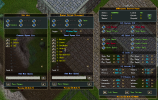
- Professional in-game admin GUI with live statistics and controls
- Automatic cleanup of orphaned spawns on server restart
### Editor & Export Enhancements
- Full binary serialization: Editor generates all required `.bin` files
- One-click export of server scripts **and** binary data
- Region, box, and tile-based spawn assignment
- Support for weather conditions and timed spawns
- Integrated bestiary with **600+** creatures
### Service-Based Architecture
- Modular services (metrics, recycling, cleanup, debug, distance calculations)
- Batch processing for scalable performance (configurable player throughput)
- Dynamic scaling: adjusts spawn rates based on player proximity
### Admin & Monitoring Tools
- In-game admin panel (`[SpawnAdmin]`) for real-time control
- Detailed metrics and troubleshooting commands
(`[SpawnStatus]`, `[SpawnMetrics]`, etc.)
- Debug mode for staff: placeholder spawns for testing & validation
### Performance & Optimization
- 50,000-mob recycle pool (up from 200)
- O(1) region name lookup
- Spatial query optimizations & type caching
- Graceful shutdown and better edge-case handling
---
## ️ How to Get Started
1. **Download & Extract**
- **Windows**: Download the latest ZIP, extract, run `UORespawnApp.exe`
- .NET 10 runtime is included (no separate installation needed)
2. **Configure & Build (optional – from source)**
- Clone the repository
- Open `UORespawnProject.sln` in Visual Studio 2022+
- Build and run
3. **Server Integration**
- Use the editor to generate binary files (`UOR_SpawnSettings.bin`, etc.)
- Copy files to `ServUO/Data/UOR_DATA/`
- Use `[SpawnAdmin]` in-game to monitor and control
*For remote servers:* just copy the generated files – no direct link required.
---
## What's New Since v2.0.0.1
- Major refactor → service-based architecture
- Full binary serialization system (goodbye CSV/JSON)
- Professional in-game admin GUI with real-time stats
- Edge-case tracker + automatic orphaned spawn cleanup
- Dynamic scaling & batch processing for high-population servers
- Expanded troubleshooting commands and performance metrics
- Improved documentation and in-app instructions
---
## Requirements
- **.NET 10 SDK** (only if building from source)
- Visual Studio 2022 or newer
- ServUO server (for server-side integration)
---
## Documentation & Support
- In-app instructions page → full table of contents + quick start
- Server-side documentation → `README.md`
- Troubleshooting → use in-game admin panel + metrics commands
---
## Upgrade Notes
- **All previous CSV/JSON data formats are deprecated**
- Generate fresh `.bin` files using the new editor
- Place all `.bin` files in `Data/UOR_DATA/` on the server
- Review the new admin GUI and metrics for performance tuning
For more details, see the full documentation and in-app help.
---